

TM 5-2350-378-23&P
0012
FRONT CORNER (LEFT OR RIGHT) RAISES IN SPRUNG, BUT NOT UNSPRUNG MODE - Continued
NOTE
If left corner of vehicle will not raise, perform test at port 3L and actuate left-hand
SUSPENSION CONTROL lever. If right corner of vehicle will not raise, perform test at
port 3R and actuate right-hand SUSPENSION CONTROL lever.
b.
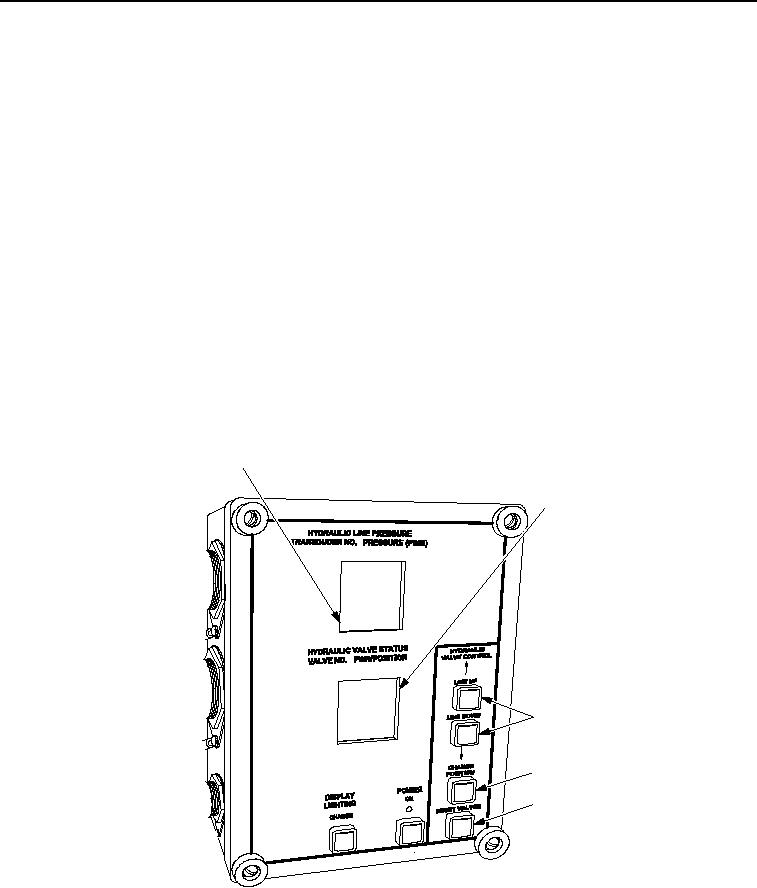
Port 3R: Using LINE UP or LINE DOWN button (Figure 6, Item 3), select V15 on HDC display
(Figure 6, Item 2).
c.
Close V15 on HDC display (Figure 6, Item 2) by selecting CHANGE POSITION button
(Figure 6, Item 4) on HDC control box.
d.
Port 3L: Repeat previous step for port 3L and close V16 instead of V15.
e.
Start engine and have assistant move SPRUNG/UNSPRUNG lever to UNSPRUNG and SUSPENSION
CONTROL lever to RAISE.
f.
Read transducer T-1 hydraulic pressure on HDC display (Figure 6, Item 1).
g.
Port 3R: Using LINE UP or LINE DOWN button (Figure 6, Item 3), select V15 on HDC display
(Figure 6, Item 2).
h.
Open V15 on HDC display (Figure 6, Item 2) by selecting CHANGE POSITION button
(Figure 6, Item 4) on HDC control box.
1
2
3
4
5
T00111HDC
Figure 6. Hydraulic Diagnostic Center (HDC) Control Box.
i.
Port 3L: Repeat previous step for port 3L and open V16 instead of V15.
03/15/2011Rel(1.8)root(tswp)wpno(T00010)